Product tour
See a week of compliance work in Comply.
Real Comply screens, with a made-up program and staff. Click the highlighted spot to go on, or use Next, the arrow keys or a swipe.
A week in Comply
A made-up program's compliance work: set up from a few answers, checks done on a phone, problems fixed, and the binder a surveyor reads. 9 steps.
-
Step 1 of 9
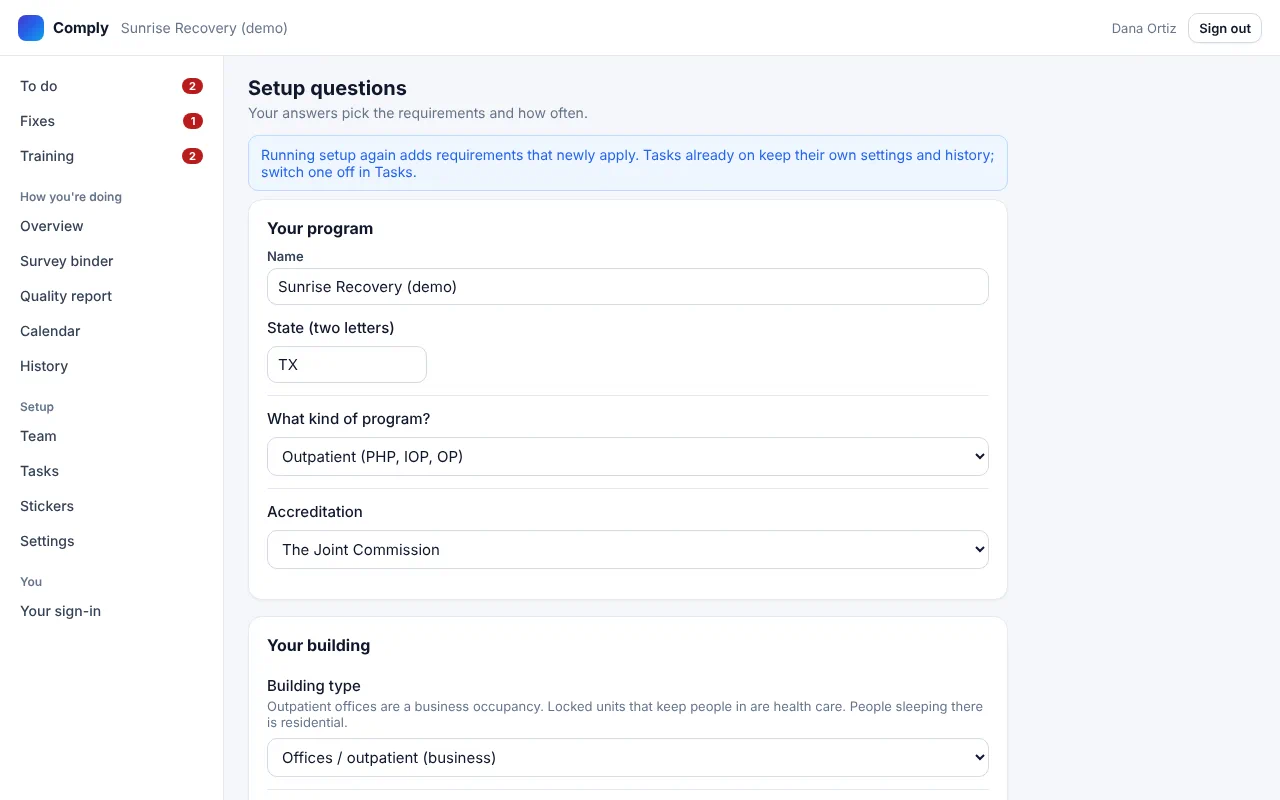
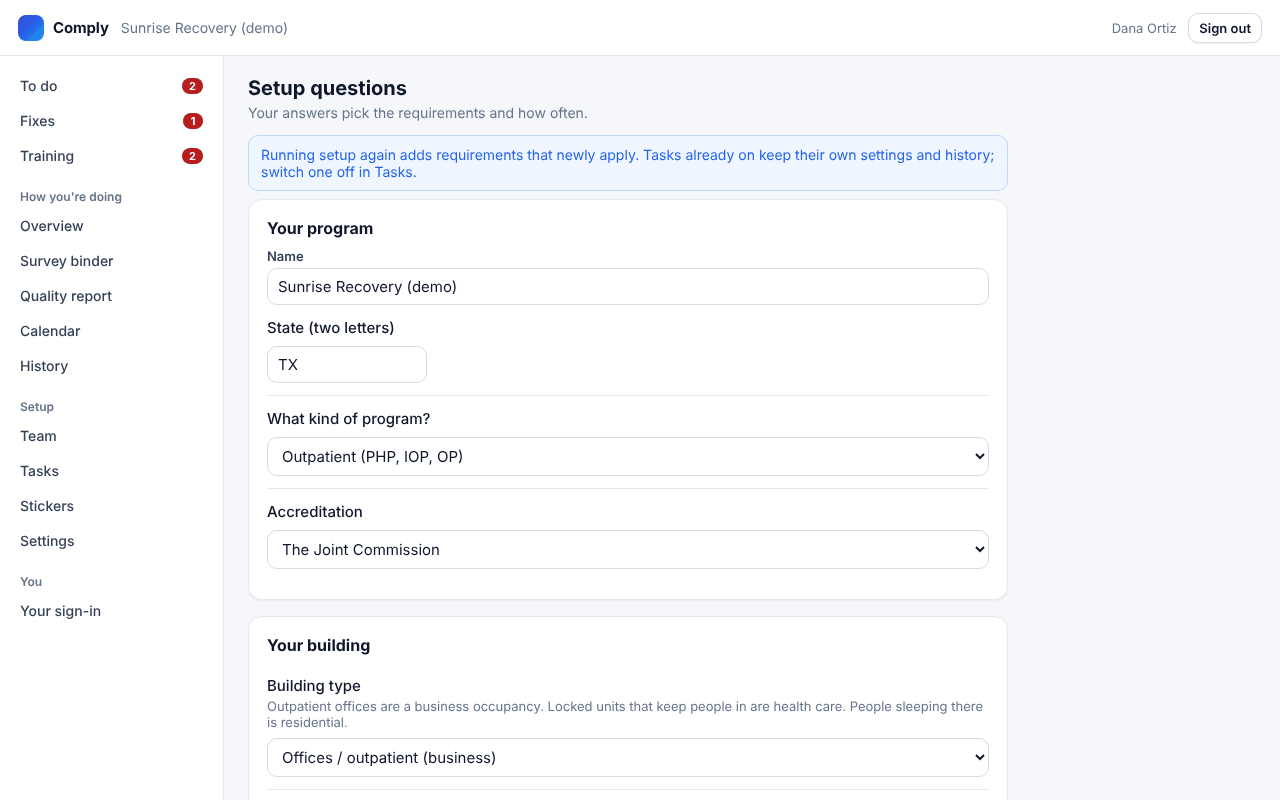
Answer a few questions
Program type, accreditor, state, your building and what's on site. Comply turns on the tasks that apply, with owners and due dates.
Open the full-size screen -
Step 2 of 9
Each person's To do
Staff see what's due, with how long each check takes. The next one is at the top.
-
Step 3 of 9
One question at a time
Big buttons, plain questions. Look at it and tap Yes, No or N/A. Some items ask for a reading or a photo.
-
Step 4 of 9
Found a problem? Say so
Tap No, say what's wrong in a few words, and take a photo. It becomes a fix with an owner and a due date.
-
Step 5 of 9
Check it and file it
One look at every answer, then file it. It's signed with their name and the server's time, so nothing is backdated.
-
Step 6 of 9
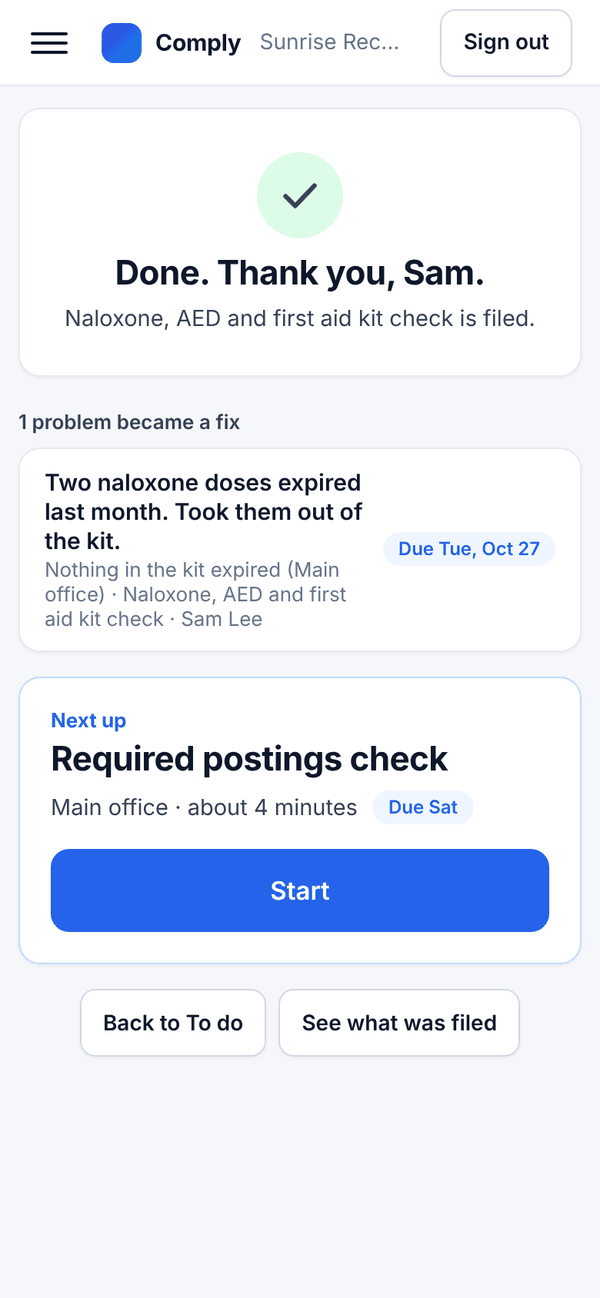
Filed, with the fix on its way
The record is in the binder. The problem is now a fix with an owner and a due date, on that person's To do.
-
Step 7 of 9
Fix it, with proof
Whoever fixes it sees the photo of the problem, says what they did and adds a photo of the fix.
-
Step 8 of 9
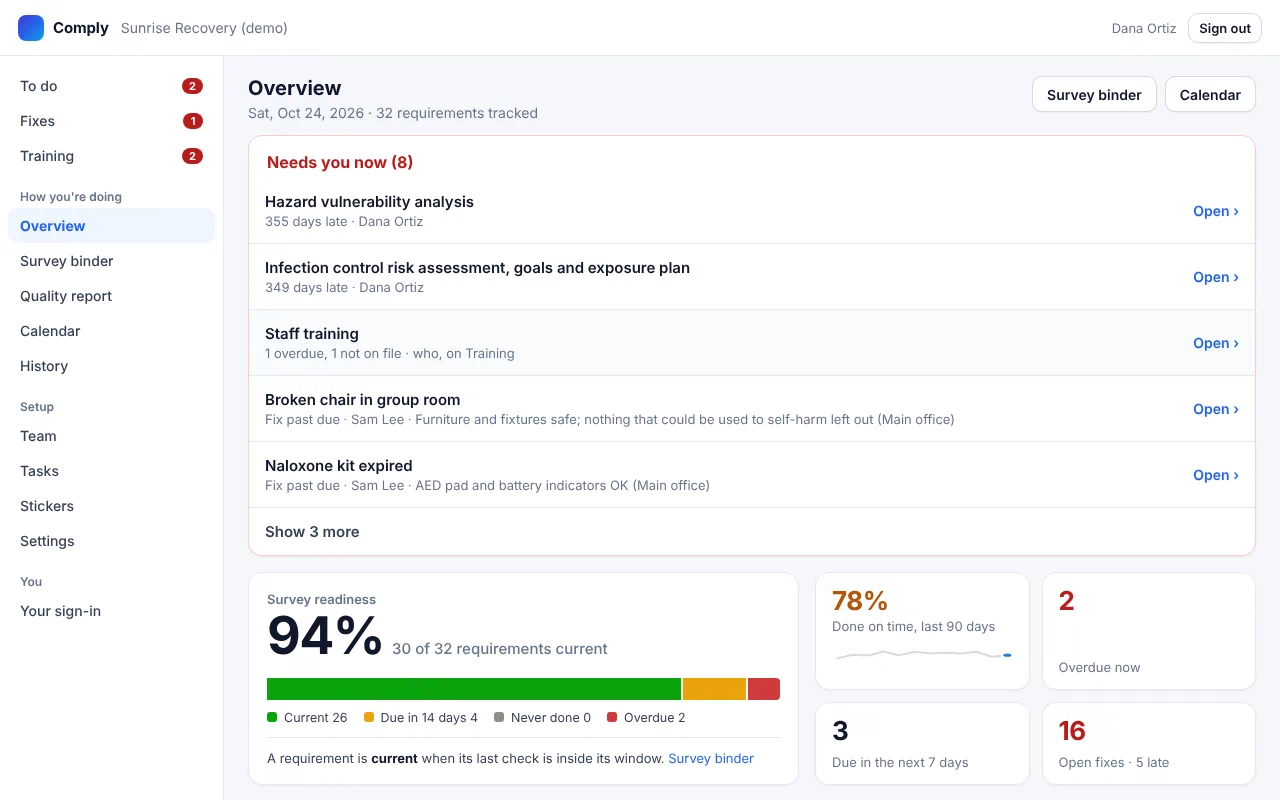
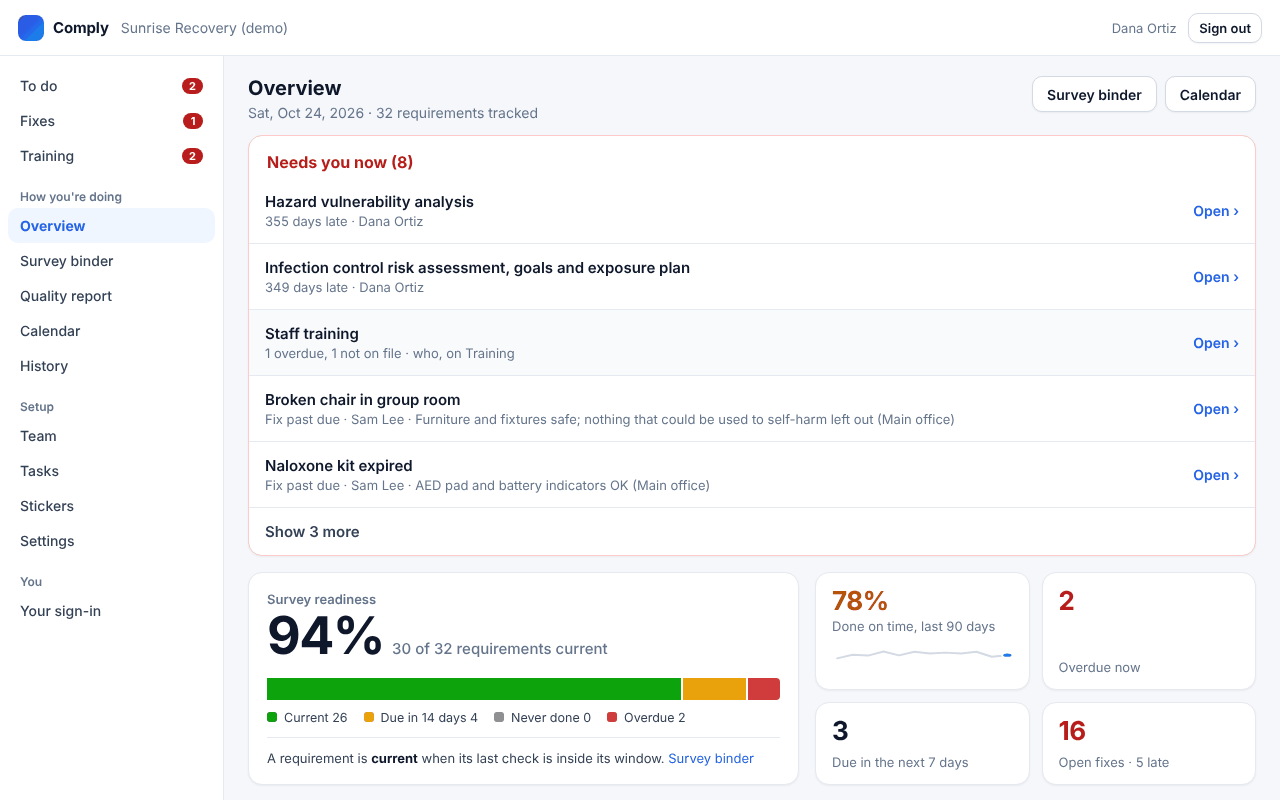
The overview
What needs you now, survey readiness, and the on-time record, for the owner or the compliance lead.
Open the full-size screen -
Step 9 of 9
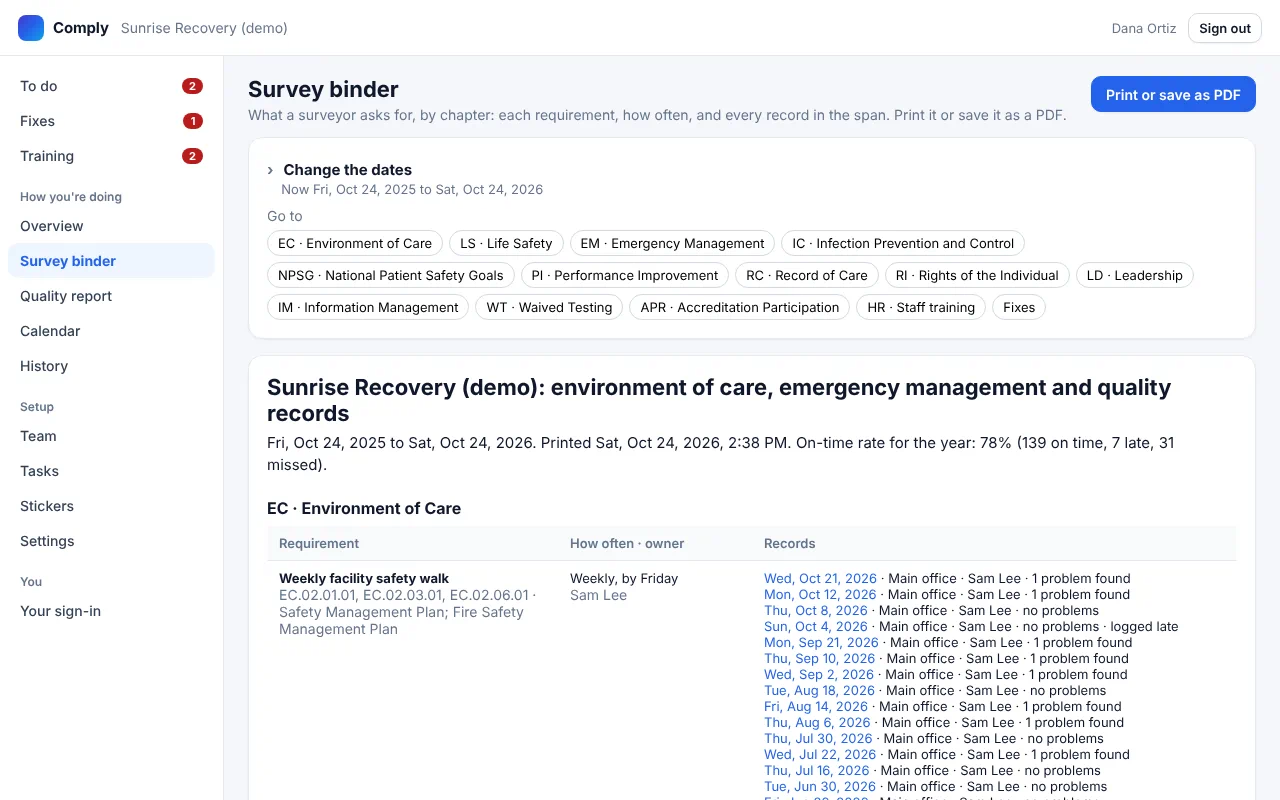
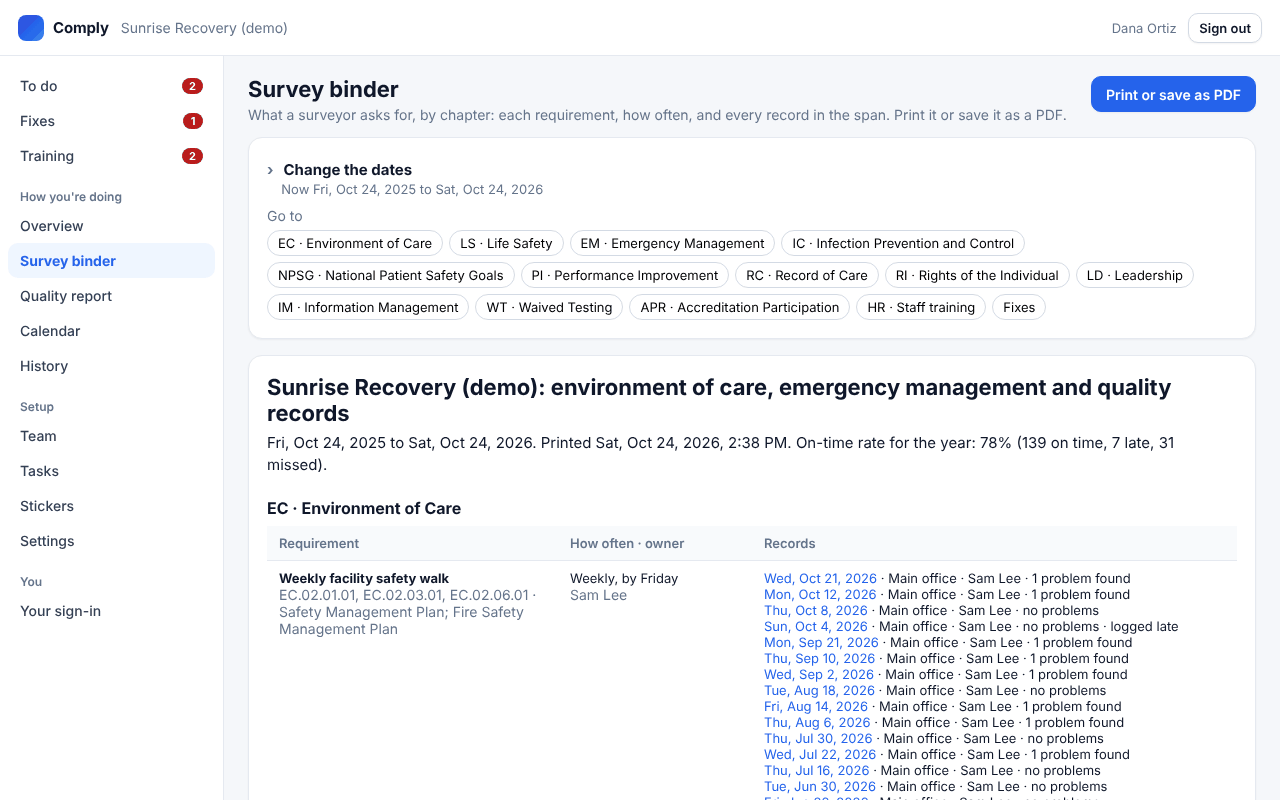
The survey binder
Every requirement by chapter, with who did each check, when, and what they found. Print it or save a PDF when the surveyor arrives.
Open the full-size screen That's survey-ready, every week.
Checks done on a phone, problems fixed with proof, and one binder for the surveyor. See it set up for your own program in 20 minutes.